%20Logo%20(5)-1.png?width=160&height=80&name=v%20(Dark%20BG%20variant)%20Logo%20(5)-1.png)
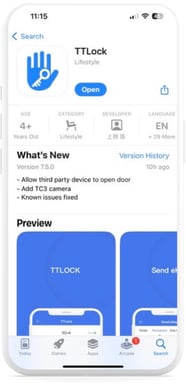
- Download the free TTLock app on Google Play or The App Store. Then tap “Register” in the top right corner of the screen.
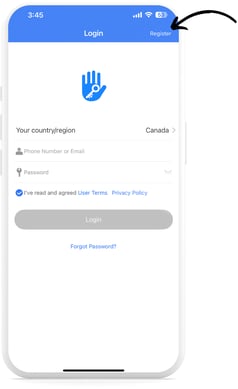
- You can register using either a phone number or an email address. A verification code will be sent to you via text or email, which can then be entered into the app.
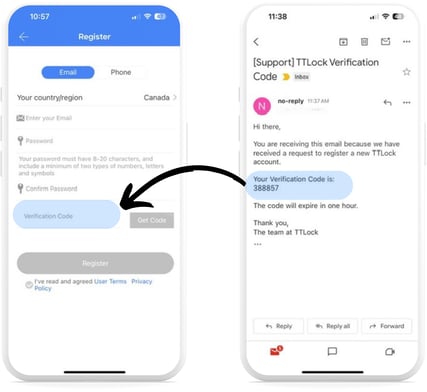
- Confirm you’ve read the User Terms and Privacy Policy, and tap “Register”.
- Once complete, you will be directed back to the log-in screen, where you can enter your registered email or phone number to log in.
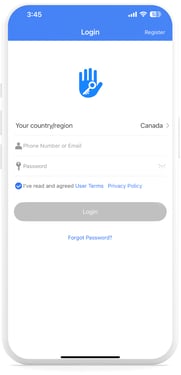
❗You can use the same account credentials to log into the TTLock desktop version by following this link.